How to Claim ChatGPT Plus Free: Are you looking for a way to use ChatGPT Plus without paying the regular subscription fee?
If you use ChatGPT for studying, coding, content writing, interview preparation, or everyday tasks, there may be a special opportunity for you.
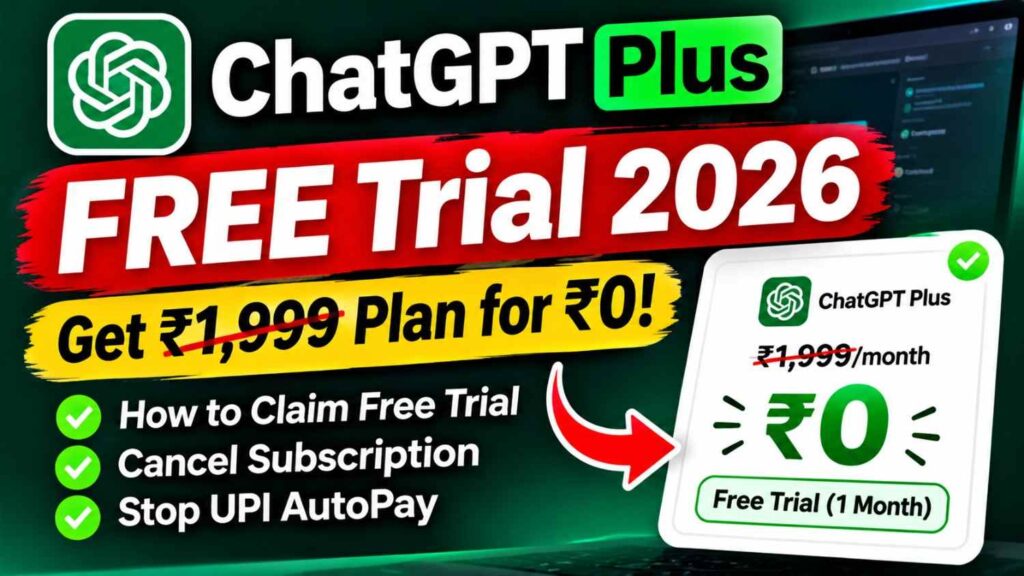
Some eligible users in India have reportedly been offered a 1-month ChatGPT Plus Free Trial, allowing them to access the premium subscription at ₹0 for the promotional period.
However, this offer is not guaranteed for every user. You must check your ChatGPT account to confirm whether you are eligible.
In this article, we will explain how to claim the ChatGPT Plus Free Trial in 2026, activate the ₹0 offer, manage UPI AutoPay, and cancel your subscription to avoid unexpected renewal charges.
What Is the ChatGPT Plus Free Trial 2026?
ChatGPT Plus is a premium subscription service offered by OpenAI.
The regular subscription price in India has been approximately ₹1,999 per month.
According to reports published in October 2026, selected users in India have received promotional offers providing one month of ChatGPT Plus access at no subscription cost.
If your account is eligible, you may see a Claim Free Offer button or a promotional price of ₹0 when checking the ChatGPT Plus subscription options.
ChatGPT Plus Free Trial Details
| Details | Information |
|---|---|
| Subscription Name | ChatGPT Plus |
| Regular Price | ₹1,999/Month |
| Promotional Price | ₹0 |
| Free Trial Duration | 1 Month (if offered) |
| Availability | Selected Eligible Users |
| Payment Methods | Supported UPI, Cards, or Other Options |
| Auto-Renewal | Depends on Offer Terms |
| Official Website | https://chatgpt.com |
Important Note: Before confirming your subscription, verify that the checkout page displays ₹0 as the amount due today. Also check the renewal date and future subscription charges.
How to Get ChatGPT Plus Free Trial in India – Step-by-Step Guide
Follow these simple steps to check your eligibility and activate the ChatGPT Plus ₹0 offer.
Step 1: Open the Official ChatGPT Website
First, open Google Chrome or any other web browser on your smartphone, laptop, or computer.
Visit the official ChatGPT website:
Always use the official website to avoid fraudulent offers or fake subscription pages.
Step 2: Log In to Your ChatGPT Account
Click the Login button and sign in using your Google account, email address, or another supported login method.
If you do not already have a ChatGPT account, create one before proceeding.
Step 3: Click on Upgrade Plan
After successfully logging in, open your profile menu or locate the Upgrade Plan option.
Click on it to view the available ChatGPT subscription plans.
Step 4: Select the ChatGPT Plus Plan
Now find the ChatGPT Plus subscription.
If your account is eligible for the promotional trial, you may see:
- Claim Free Offer
- Free Trial
- ₹0 Promotional Price
- Another special subscription offer
If the checkout page displays the regular ₹1,999 price without any free trial, do not proceed unless you are willing to pay that amount.
Step 5: Click on Claim Free Offer
If the free trial is available, click Claim Free Offer.
You will be redirected to the subscription checkout page.
Carefully verify the following information:
- Subscription: ChatGPT Plus
- Promotional Price: ₹0
- Free Trial Duration: As displayed
- Amount Due Today: ₹0
- Next Billing Date
- Renewal Amount
Step 6: Enter Your Payment Details
You may be asked to add a valid payment method to activate the free trial.
Depending on your account and the available checkout options, you may be able to use:
- UPI
- Debit Card
- Credit Card
- Other supported payment methods
Enter the required payment details and complete the authorization process.
Important: Adding a payment method does not automatically mean your subscription is free. Confirm the amount shown on the final checkout page before proceeding.
Step 7: Activate ChatGPT Plus for ₹0
Once you have verified all the details, confirm your subscription.
If the offer is successfully activated, you should receive access to ChatGPT Plus.
You can check your subscription status, plan details, and upcoming billing date in your ChatGPT account settings.
Benefits of ChatGPT Plus Subscription
ChatGPT Plus provides access to additional capabilities and higher usage limits compared with the free plan.
1. Higher Usage Limits
ChatGPT Plus generally offers increased access to supported models and features, subject to applicable usage limits.
2. Coding and Programming Assistance
You can use ChatGPT Plus to help with programming languages such as Python, Java, C++, and JavaScript.
It can assist with coding questions, debugging, algorithms, and interview preparation.
3. File Upload and Analysis
Upload supported documents and files to summarize content, understand complex topics, and analyze information.
4. Content Writing and SEO
ChatGPT Plus can help you create SEO-friendly blog posts, YouTube scripts, social media captions, descriptions, and other written content.
5. Interview and Exam Preparation
Students and job seekers can use ChatGPT for aptitude practice, reasoning questions, technical interviews, and programming preparation.
6. Research and Productivity
ChatGPT can help with research, brainstorming, organizing information, and completing everyday tasks.
Note: Available features, models, and usage limits may change over time.
How to Cancel UPI AutoPay After Activating ChatGPT Plus
This is one of the most important steps if you do not want to continue with a paid subscription.
Some free trial offers automatically renew at the regular subscription price after the promotional period ends.
If you authorize a recurring payment mandate through UPI, you should review and manage that mandate before your next billing date.
Step 1: Open Your UPI Payment App
Open the payment application used to authorize the subscription, such as Google Pay, PhonePe, Paytm, or another supported UPI app.
Step 2: Go to AutoPay Settings
Open your Profile, Settings, Payments, or Automatic Payments section.
Look for options such as:
- AutoPay
- UPI Mandates
- Automatic Payments
- Recurring Payments
Step 3: Find the ChatGPT or OpenAI Mandate
Check your active recurring payment mandates.
If you see an active mandate associated with ChatGPT or OpenAI, select it.
Step 4: Cancel the AutoPay Mandate
Choose the Cancel, Revoke, or Disable option if available.
Follow the instructions displayed in your UPI application.
Step 5: Confirm Cancellation
Verify that the mandate status has changed to Cancelled or Revoked.
Important Warning: Cancelling a UPI AutoPay mandate does not necessarily cancel your ChatGPT subscription. You must also check and cancel the subscription through the appropriate billing platform.
How to Cancel ChatGPT Plus Subscription to Avoid Renewal Charges
If you do not want to pay for ChatGPT Plus after your free trial, you should cancel the subscription before its renewal date.
Step 1: Open ChatGPT
Visit https://chatgpt.com and log in to the account used to activate your free trial.
Step 2: Open Account Settings
Click your profile icon and open Settings.
Step 3: Find Subscription Settings
Navigate to the Account, Subscription, or Plan Management section.
Step 4: Click Manage Subscription
Select the option to manage your current ChatGPT Plus subscription.
Step 5: Select Cancel Subscription
Click Cancel Subscription and follow the on-screen instructions.
Step 6: Confirm Cancellation
After cancelling, verify the subscription status and save the confirmation for your records.
If you subscribed through Google Play or the Apple App Store, you must manage and cancel your subscription through the respective store.
Important Warning About Cancelling Immediately
Some promotional free trials may end immediately when you cancel your subscription.
Therefore, cancelling right after activation could cause you to lose access to ChatGPT Plus before the trial period is over.
If you want to use the full trial period, read the promotional terms carefully and cancel before the renewal deadline. OpenAI generally recommends cancelling at least 24 hours before the next billing date.
Is the ChatGPT Plus Free Trial Available for Everyone?
No. The ChatGPT Plus Free Trial may only be available to selected eligible accounts.
Eligibility can depend on several factors, including your region, account history, previous subscriptions, and the specific promotional campaign.
If you cannot see the ₹0 offer in your account, there is no guaranteed method to unlock it.
Avoid unofficial websites or individuals claiming to provide guaranteed free subscriptions.
Frequently Asked Questions (FAQs)
Q1. Is ChatGPT Plus free in India in 2026?
Some eligible users in India have reportedly received promotional free trial offers. Availability must be confirmed directly in your ChatGPT account.
Q2. What is the regular price of ChatGPT Plus in India?
The regular subscription price is approximately ₹1,999 per month. Always verify the current price on the official checkout page.
Q3. How can I claim ChatGPT Plus for ₹0?
Visit chatgpt.com, log in, open the Upgrade Plan section, and check whether a free trial or ₹0 promotional offer is available for your account.
Q4. Is a payment method required for the free trial?
Some promotional offers require a valid payment method, even when the initial subscription charge is ₹0.
Q5. Will ChatGPT Plus automatically charge me after the free trial?
It may automatically renew at the regular subscription price if auto-renewal applies and you do not cancel before the renewal deadline.
Q6. Can I cancel ChatGPT Plus immediately after activating the free trial?
You may be able to cancel immediately, but certain promotional offers end as soon as the subscription is cancelled. Check the specific offer terms before cancelling.
Q7. Is cancelling UPI AutoPay enough?
No. You should also verify that your ChatGPT Plus subscription has been cancelled through the platform where you purchased it.
Q8. Can I activate the free trial without a credit card?
This depends on the payment methods supported by your specific promotional checkout. UPI or other payment methods may be available for some users.
Official ChatGPT Website: https://chatgpt.com
Disclaimer: This article is for informational purposes only and is not affiliated with or endorsed by OpenAI. Promotional offers, eligibility requirements, subscription prices, and cancellation terms are subject to change. Always verify the latest information directly through the official ChatGPT website before activating any subscription.